|
|
April 9th, 2013
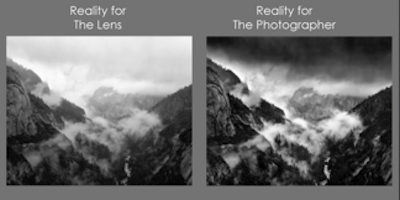
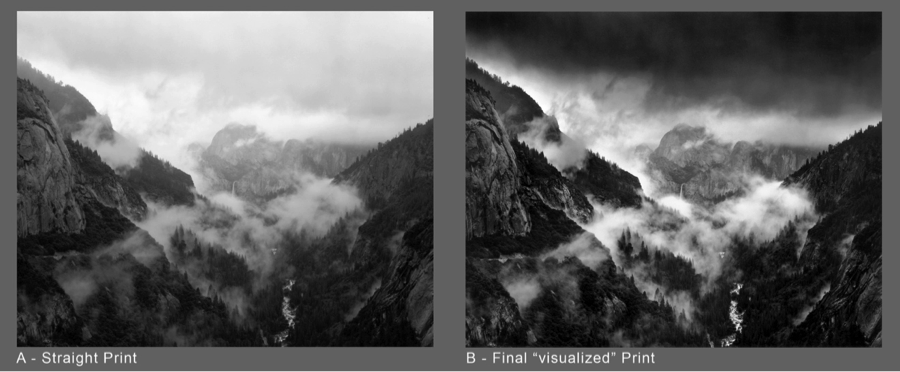
In Part I of this blog on how to create a more expressive image, I talked about visualization–the difference between what the camera sees (the literal) and what the photographer sees in his or her mind’s eye as the final print (the expressive.)
The two may be quite similar or quite different, but being able to interpret what you see and picture the final image on paper is critical to the making of an expressive image because it dictates what techniques and equipment will be required to execute your vision successfully.
The first consideration is point of view–choosing the proper vantage point for camera and lens. This may seem almost simplistic, but you would be amazed at how many strong, compelling visions are lost in the final image because the photographer didn’t take the time to find the most favorable position.
Why does it matter so much? If you don’t set your camera and lens in the rights spot, you may wind up with elements in your final image that compete with your vision and weaken it. And yes, you can fix some of these things with cropping and Photoshop, but not always, so it really pays to get it right from the beginning.
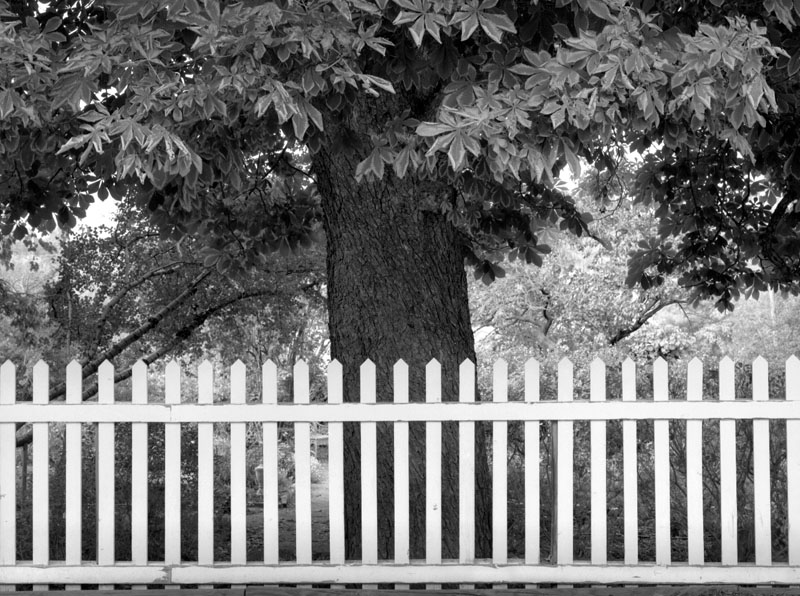
I’ll use a photograph I did not long after I moved to Santa Fe to demonstrate the things to consider when choosing your vantage point. This is a wonderful old adobe about 15 minutes from house. Interesting to note that shortly after I made this image, the fence and gate were replaced with a tall wall, completely obscuring the building behind. Great example of why, if you see something you’d like to photograph, do it now!
Gate and Windows, Galisteo, New Mexico 1996

The first thing I did after I decided to photograph this beautiful building was to use my cut-out card with a hole the same shape as my film (see part I of the blog). This helped me evaluate the various aspects of the scene as elements in a clearly defined structural arrangement.
I also looked through the card with just one eye so that I could see the subject in two dimensions rather than three. And by “cropping out” much of the detail surrounding the scene I wanted to photograph, it was much easier to concentrate on the relationships of the objects within the scene to each other.
Now that I had the basic scene isolated and determined, I had to decide where the best vantage point would be. And vantage point includes not only your position with your tripod, but also the exact position of the lens.
I thought about whether I should stand near or far and experimented, again using my cropping card. I moved closer to the scene and noticed that the gate would be larger than I wanted relative to the size of the windows. When I moved back from the scene, the gate was not as prominent as I wanted. I ultimately chose a position that gave me a relationship that felt right.*
The other consideration in choosing a vantage point and setting up the camera is where the lens should be–up, down, left or right? In my image, if I lowered the lens too much, the pickets at the left would run into the little window, and I would see the threshold of the door through the gate. If I raised the lens too high, the pickets merged with the bottoms of the two larger window frames. The left/right position was carefully chosen so that none of the picket points ran directly into any of the architectural features in the background.
Lens & Filter
Although I will be going into detail about lens choice and filter use in the next installments of this blog, I thought I would mention each briefly here for the sake of understanding how I approached realizing my vision in this photograph.
The choice of a focal length helped refine the exact lens position. I had framed the subject with my hands and knew where I wanted the framed edges to be (cropping). I already knew where I wanted to stand near-far, so choice of lens was simply to pick up the one that gave me the angle of coverage I wanted.
Another consideration was whether to use a filter. In this case, the adobe wall of the house was a deep reddish-brown. I decided to use a strong green filter to darken the wall relative to the white fence and gate.
Bottom line when considering point of view….take your time in setting things up, don’t just happen on the scene and click away. Don’t be afraid to experiment by moving around a bit and seeing what happens when you move in, back, left, right or even up! It doesn’t have to take hours, but paying attention to the details at the beginning will help ensure a better image in the end.
* Note: I mentioned that I chose a position that felt right to me. There are numerous “formulas” for determining compositional structure–the Rule of Thirds, the Golden Sector and others. I have personally never used any of these because I have always felt comfortable with my own sense of “balance.” But if employing one of these time-tested structural aids helps to refine your own seeing, I certainly encourage it.
I’ll leave you with a short quote from Mark Twain in his essay, Fennimore Cooper’s Literary Offenses, “Eschew Surplussage!” In other words, if it doesn’t contribute to your statement, leave it out!
Coming Next:
- Choosing the right lens to properly frame the subject
- Knowing enough about filters and exposure to record subject tones in the most useful way
- Following through in the darkroom or computer lab, aka the “light” room
Posted in Tech | No Comments »
February 19th, 2013
In 1927, during one of his regular trips to Yosemite, Ansel Adams trekked up to the “diving board” on the west shoulder of Half Dome. There, he made a dramatic image of the monolith using a mild yellow filter to darken the sky a bit—a generally recommended and accepted practice in those days.
But what Ansel felt about the scene before him was more dramatic than what he knew the yellow filter would give him. With one plate left unexposed, he daringly made another exposure, this time using a red filter that he hoped would result in an image that was more in tune with what he imagined, or visualized, the final image should be, instead of what was actually in front of him.
The image that resulted from this experiment proved to be a turning point for Ansel in his photographic explorations. For the first time, he was conscious of the difference between what his camera lens saw (the literal) and what he saw in his mind’s eye (the expressive) as the final print.
Ansel ultimately came to refer to this freedom from recording only that the camera and lens could capture in a technical sense to visualization, and he wrote about it extensively during his lifetime.
By itself, visualization doesn’t assure a successful final image, but it does set the stage for the ensuing choreography of photographic steps. To my way of thinking, it is the single most important element in creating an expressive image.
So…just what is visualization and how do you visualize?
Simply put, visualization is a confluence of imagination and technique. It is the ability to picture the final print in your mind before releasing the shutter and possessing the technical know-how to create the image that’s in your mind, even if it differs from the reality of the scene in front of you.
One of Ansel’s favorite sayings was, “There’s nothing worse than a sharp image of a fuzzy concept.” At the same time, a concept can be sorely limited in clarity by a fuzzy knowledge of technique. The two go hand-in-hand.
In Ansel’s case, his knowledge of technique—knowing what a strong red filter ought to do—enabled him to imagine, or visualize, a final print with a much darker sky than the yellow filter would have afforded. He visualized how he wanted the print to look and used the techniques to execute his vision.
Visualization does not, however, require that you see a finished print that is markedly different from the real qualities of the actual scene. It could be as simple as “seeing” a final color image in delicate pastels rather than in bold, vibrant colors and contrasts. It might mean choosing a particular vantage point to emphasize the qualities of a foreground object. But in all cases, visualization dictates the techniques required to achieve the vision.
The next time you’re out photographing, try taking a moment to disconnect from the reality of the scene in front of your lens, and try to see it as a print. Is the sky in that print going to be darker than your meter says it ought to be? If it’s in black-and-white, will skewing color relationships with a filter strengthen your statement? Will a longer or shorter exposure enhance motion in a scene? These are all things I consider – usually even before I set the camera up. With practice you won’t even know you’re doing it – you will have already done it! That’s visualization.

A cut-out card is a great way tighten up your composition!

And here are some thoughts by Georgia O’Keeffe on the concept of rendering something seen:
“The Ranchos de Taos Church is one of the most beautiful buildings left in the United States by the early Spaniards. Most artists who spend any time in Taos have to paint it, I suppose, just as they have to paint a self-portrait. I had to paint it – the back of it several times, the front once. . . . And I long ago came to the conclusion that even if I could put down accurately the thing I saw and enjoyed, it would not give the observer the kind of feeling it gave me. I had to create an Equivalent for what I felt about what I was looking at——not copy it.”
Georgia O’Keeffe, 1976

Coming up….executing your vision.
- Choosing an appropriate vantage point so elements in a scene don’t compete with your vision
- Choosing the right lens to properly frame the subject
- Knowing enough about filters and exposure to record subject tones in the most useful way
- Following through in the darkroom or computer lab (“light” room).
Posted in Ansel Adams, Photo Philosophy | 2 Comments »
October 4th, 2012
I got a request a few days ago about my thoughts re small/large format and digital vs film. It seems to be an active topic so I hope the following can shed some more “light” on the subject!
******
Dear Mr. Ross,
… was wondering if you would be kind enough to answer a couple of questions regarding your use of large format cameras. In particular, I was wondering two things:
1. Why do you continue to use large-format cameras for your art? Do you find some benefit in them that you cannot obtain from a 35mm camera?
2. It is my belief from what I have read that you prefer film over digital photography. For example, I noticed your comment in response to the Popular Photography article, Photoshop and Photography – What is Photography? “I have never seen an inkjet print that could match the depth of image in a traditional silver-print.” Is my assumption that you primarily use film correct? Is there ever a time (from a fine art standpoint) where digital would be more beneficial in your mind?
I am sure you are frequently inundated with questions from fans and fellow photographers, so I thank you in advance for taking the time to read these questions, and hopefully responding to them.
Best regards,
*******
Hello…..,
Camera size: First, consider that you can only cram a certain amount of information in a given amount of space. At 24x36mm (1×1.5 sq. in) a 35mm camera has a negative with 1.5 square inches of area. A 4×5″ negative has 20 square inches and 8×10 has 80! So, given an equivalent film in both cameras, a 4×5 negative has over 13 times the information (detail) as a 35mm. Also, most 4×5 cameras have all sorts of adjustments allowing controls of focus and image geometry not available with “solid-body” cameras. Further, there is only one exposure on each piece of 4×5 film, so each image can be developed according to its own merits. Lastly, I personally kind of like the slower, contemplative approach often associated with working with a bigger camera.
Film vs digital: They both have their merits. I got a Canon 5D MkII several months ago and think it is a wonderful tool. Digital can certainly do things film cannot do – capture color and BW at the same time, have different ISO speeds with the twist of a dial, record a staggering number of images on a single memory card and offer instant replay immediately after exposure among other things. Downside- there is nothing permanent about a digital image. If an image has not been printed and its storage drive fails without backup, the image is gone forever. Currently, digital recording has nowhere near the tonal scale of a BW negative, and to some degree, a color negative. With Digital, many common scenes would require multiple exposures and subsequent HDR processing to record the brightness range easily captured in a single exposure on bw film. That said, there is just something I intrinsically like about working with film. I have an Epson 3880 printer and think it produces quite lovely prints – but they still don’t have the tonal depth of a silver-gelatin print. And it’s more fun to see the image emerge in the developer than watch it get spit out of a printer.
I hope this helps – I’ve only scratched the surface of the topic! Bottom line, any camera is only a tool. Each style has its own merits and drawbacks – they are just different, not better or worse! One can drive a screw with a hammer – but it may not produce the most satisfying results!
Would Ansel Adams Shoot Digital?
Best,
Alan
Posted in Photo Philosophy | 4 Comments »
September 16th, 2012
How Do Light Meters Work?
Most of us can understand that a reliable light meter, either in-camera or hand-held is pretty essential to getting good film or digital exposures – but just how they work might be a matter of some mystery or confusion!
When light meters were first made, they were pointed from camera position toward a scene, measuring a rather broad area, evaluating the average brightness of objects either emitting light or reflecting some amount of light back toward the camera. The assumption was that if you mixed all the lights and darks in an “average” scene into one brightness, that mixture would be some sort of middle gray.
It was decided that that middle gray represented a neutral color reflecting 18% of the light falling on it. Photoshop-wise – that works out to a black set at about 55% opacity.
In photography, this works out fine so long as your meter (or camera) is reading an equal mix of lights and darks, or you are metering something that is itself middle-gray in brightness.
• But what if you are photographing a white horse in the snow? The meter thinks it is looking at something gray – and thus will give you the correct exposure to make that horse and snow GRAY! The solution is to give MORE exposure to your film or image sensor so that the scene is given enough light to look like a textured white in the image.
With film, this is about 2.5 to 3 stops more light than your meter reading.
With digital, this may be only 1.5 to 2 stops more light than the meter reading.
• Conversely, if you are photographing something dark in a dark surround, the opposite approach comes into play. The meter will tell you how to expose to make that DARK scene a middle gray! You then need to give LESS exposure to force that scene to look dark.
With film: a 2 to 3 stop reduced exposure will run you from a textured dark to nearly black.
With digital: a 1.5 to 2.5 stop reduction will typically run you from a textured dark to nearly black.
(Pssst: that’s pretty much the real basics of the Zone System! Hint – that 18% “middle-gray” is Zone V…!)
A word of caution: Some, if not many, of the modern in-camera meters with computer analytics can come up with completely unpredictable exposures. First, they seem to all be calibrated towards acceptable exposures for color slides or digital – so if you are working with a bw negative film (and to some extent color neg) you are almost certain to get a good looking contact sheet with terrible shadow detail. Second, computer analytics are not the same thing as thinking! The most sophisticated metering system in existence has no idea of WHAT it is analyzing! If you want to be in control of image tonality, you need to have an understanding partnership with your metering system and equipment.

Posted in Tech, Zone System and Metering | 2 Comments »
June 19th, 2012
Polarizing Filters – You can’t mimic these in Photoshop!
A polarizing filter is one of the few filters that is equally effective with color imaging and with black-and-white. It can:
• Minimize or eliminate reflections in glass, water or most any surface except metal.
• Darken skies in color photos as well as in black-and-white
• Cut through haze
• Increase the saturation of colors
Types: There are two basic types of polarizer, the original “linear” polarizer and the comparatively new “circular” polarizer. They essentially accomplish the same thing, but linear polarizers pose problems with most modern through-the-lens metering systems, so circular polarizers were developed to minimize or eliminate metering issues.
Filter Factor: Most filter manufacturers list polarizers as having a variable filter factor, usually 2 to 4 depending on the effect of the polarization. I personally just use a factor of 2.5 (1.3 stop correction) because any further darkening, say, of a sky is an effect I want, and do not want to override.
Use: The great thing about using a polarizer is that you can actually see the effect before taking the picture. When held up to the eye or placed on a lens and rotated in a clockwise or counter-clockwise direction, you can see gradual lightening or darkening as you rotate. You can pick just the degree of effect you want. At its lightest orientation, it is essentially just a 1.3-stop neutral density filter. If you are using aa non-through-the-lens camera (rangefinder, Holga, etc) you will need to hold the filter up to your eye and note what part of the filter is at “12 o’clock” for the effect you want, then put the filter on your lens in the same orientation.

Above, a polarizer effectively eliminating reflections in glass. Note that the reflections in the polished table are only moderately affected – that light was polarized in a different direction. Below, note how the polarizer has darkened the sky, increased saturation in the colors and reduced haze.

Using Polarizers with Wide Angle Lenses: Polarizers work by darkening light in the subject that is already polarized. If there is no polarized light, the filter has no effect other than neutral density. The light in a sky is not evenly polarized, so if you are using a wide-angle lens, you will capture part of the sky that may be highly polarized AND also include part of a sky that is less polarized. If you are using a wide-angle lens on a subject that does not include sky, you may not notice any odd effect.

In the end, no well equipped camera case should be without the versatile polarizing filter!
Posted in Lenses, Tech | No Comments »
June 4th, 2012
Affordable Authentic Ansel Adams Prints
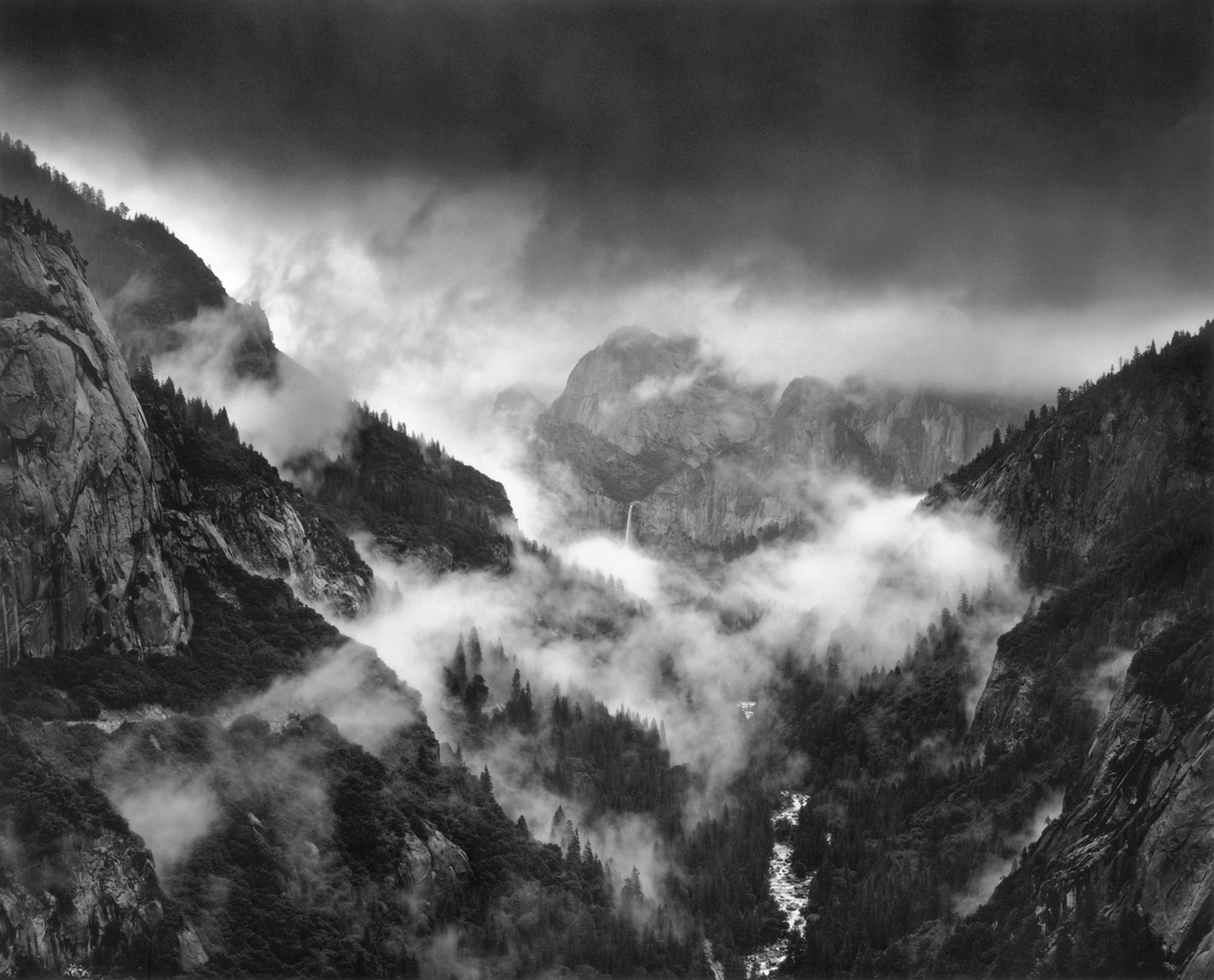
 Thunderstorm, Yosemite Valley
One of Ansel Adams’ personal commitments was to share his energy and abilities in support of the things he believed in, most notably, photography and the environment.
In the cause of both, Ansel and his wife, Virginia, selected six photographs of Yosemite and offered them for sale through her family business, Best’s Studio, in Yosemite National Park. The year was 1958.
Ansel’s intent was to present photography as an affordable art and to showcase the environmental grandeur of Yosemite National Park. Never much of a fan of the “curios” that were the staple of most Park concessioners at the time, he also wanted to offer visitors a quality memento of their time in Yosemite.
The 8×10 prints would be made from the original negatives by an assistant under Ansel’s precise direction and be printed in sufficiently large batches to make them affordable.
This collection, entitled the Yosemite Special Edition Photographs, proved immensely popular and over the years, Ansel added more images to the set until the total was capped at 30 at the time of his passing in 1984.
Today, Best’s Studio is known as the Ansel Adams Gallery, and continues as a family-run business. Ansel’s Special Edition Photographs of Yosemite are a mainstay of the Gallery’s offerings and heritage. Each print is still made by hand directly from Ansel’s original negatives, using his approach and methodology to ensure strict adherence to his standards and aesthetic.
And while Ansel’s archives eventually became part of the permanent collection of the Center for Creative Photography at the University of Arizona at Tucson, he made special provisions for the Special Edition Photograph negatives to be held back from the archive so that the tradition of offering high-quality original art at affordable prices would continue as his personal legacy in support of the arts and the environment.
Making the Special Edition Prints: Chosen by Ansel
I became Ansel’s assistant in the middle of 1974, working with Ted Orland, who had been Ansel’s primary assistant for the previous two years.
When Ted left in early 1975, I inherited not only the responsibility of keeping all of Ansel’s photographic operations running, but also the making of the Special Edition prints. Don Worth, Gerry Sharpe, Liliane DeCock, and Ted had all served in this capacity before me, all of us working as Ansel’s eyes and hands in the darkroom. Not easy, but an immensely rewarding challenge.
Although Ansel’s hands were not in direct contact with the Special Edition printing, his vision always was. He was consulted through test and sample prints, and the challenge was to be able to anticipate and respond technically to his requests.
”Make it a little darker over here,” he would suggest, or, ”Can you make it a bit more contrasty?” he would ask. The final approval was a slap on the back along with a hearty, “Ya got it, man!”
In 1979, I left Ansel’s employ to open my own studio in San Francisco, but he liked the way I was printing his negatives and asked me to continue making the Special Edition prints. In his autobiography, Ansel said, “Alan was my photographic assistant from 1974 until 1979, and he continues to make the Special Edition Prints with sensitivity. He knows those negatives thoroughly and interprets them as closely as possible to my original fine prints of those images.”
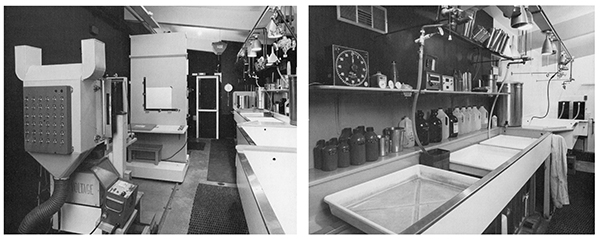
Making the Special Edition Photographs is an assignment I continue to this day, with Ansel’s vision and standards always in mind as I work. The prints are still made directly from Ansel’s negatives and in the “traditional” way: in a wet darkroom with amber safelights, chemicals and running water. The prints are still silver-gelatin prints, meaning that the image-forming element is literally metallic silver. Precious.
And after nearly 40 years, I can honestly say that I never tire of seeing these images come up in the developing tray. It’s an honor and privilege to play a small part in continuing Ansel’s legacy.
To see the full selection of the Yosemite Special Edition Prints, please visit the Ansel Adams Gallery website.
For the technical details on the making of the Special Edition prints, click here.
Alan Ross Photography would like to acknowledge the assistance and support of the Ansel Adams Gallery staff and Freestyle Photographic Supplies.

Tags: Alan Ross, Ansel Adams, Ansel Adams Gallery, darkroom printing, silver-gelatin prints, Yosemite Special Edition Prints Posted in Ansel Adams | 1 Comment »
May 6th, 2012
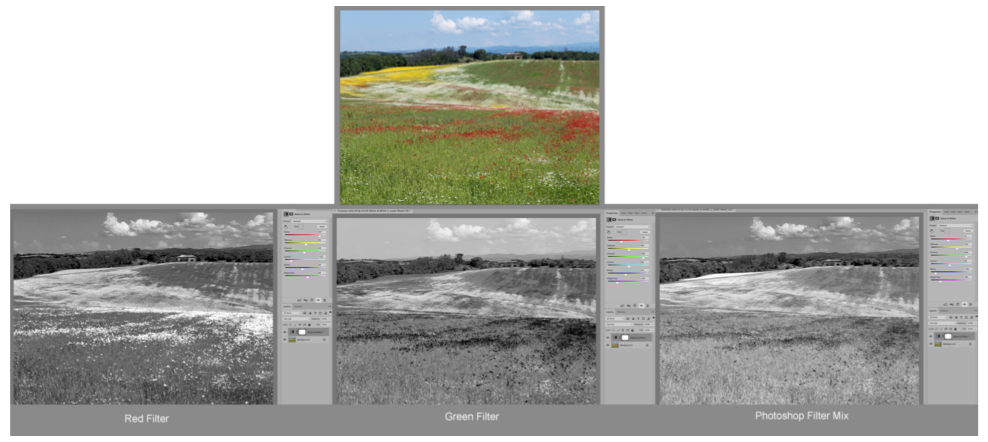
A previous post discussed the basics of how and why colored filters can change the relationships of different subject colors in black-and-white photography. This writing will give some visual examples of the effects of filters in BW work.

The example above shows a still-life scene containing a wide range of neutrals and colors, rendered in color, black and white with no filter and then with four strongly colored filters. The effects are commensurate with the color-wheel in the previous post:
#12 Yellow. The lemon and banana are lightened significantly. The near-yellows – red, orange, green are lightened somewhat. The cyan bowl is darkened. Neutrals unchanged.
#25 Red. The lemon and banana are not quite as light as with the yellow filter, but the tomato, radishes and apple have become quite light. The cyan bowl is now quite dark. Neutrals unchanged.
#58 Green. It has turned its opposite and near opposites, radishes, tomato, apples near black. The lettuce is lightened somewhat. Neutrals unchanged.
#47B Blue. Wowzer! But consider – yellow is opposite blue, and red and green are adjacent to yellow. It darkened everything – except the cyan bowl, which it lightened because that color is its neighbor!
A note: Red or Green with foliage. Green plants and trees don’t always behave the way one might think! Living plants also reflect a great deal of infrared. Broad-leaf plants usually lighten with a green filter, Junipers and piney growths usually do not.
As I mentioned in the previous post, digital images are best “filtered” post-capture. The examples shown here should suggest the post-process effects.
Next time – polarizing filters! You can’t mimic these in Photoshop!
Posted in Photo Philosophy, Tech | No Comments »
April 6th, 2012
Filters – How to Choose and Use
Part 1
I think the thing I like most about working in black-and-white is the fact that it’s much more an expression of how I feel about a subject than a representation of “reality.” The world doesn’t exist in Black-and-White (my mother told me that…) so a b/w image is by its very nature an abstraction of the things we see.
The judicial use of filters can greatly enhance the impact of how a subject appears, and in black-and-white we can even skew the way colored subjects relate to each other.
I normally like to be fairly subtle about my use of filters; a photograph shouldn’t look like a filter was used, just as a print shouldn’t look like it was dodged and burned! One of the most generally popular choices, a #8 Yellow, is usually so subtle that I don’t see much point in using it. Another popular choice, the #25 Red, is often too strong, rendering skies and day-lit shadows illogically dark.
My two favorite filters, a #12 Yellow (“minus blue”), and a #23 Red, respectively, have both more strength and finesse than the ones found in most camera bags. The #12 yields an effect almost as strong as a #15 orange, but with only a 1 stop filter factor, only slightly greater than the #8. The #23 tends not to make skies quite so artificially dark as the #25.
Understanding the relationships of different colors of light to each other is key to choosing a filter. A standard color-wheel is shown below. The numbers in various color areas are Wratten filter-number designations, an industry standard utilized by many filter manufacturers. A #12 filter, for example is pure yellow, a #8 is a light yellow. The capital letters in bold are called Additive Primary colors, and the lower-case letters are Subtractive Primaries.
Red is opposite Cyan
Green is opposite Magenta
Blue is opposite Yellow

In Black-and-White photography the practical effect of a filter is to lighten its own color and darken its opposite color.
In purely scientific terms, a filter has no effect on its own color and darkens everything else, including “neutral” colors. When we apply a “filter factor” to the exposure, neutral colors remain unchanged and then the filter’s own color becomes lighter and its opposite becomes darker.
What we commonly call a “blue” sky is technically a bit more cyan, which is why a red filter will darken the sky more than a yellow filter. Orange is in between. Keep in mind that outdoor shadows are illuminated by the sky, not the white light of the sun. Any filter that darkens the sky will also darken the shadows!
Green or red filters can be quite useful in the Southwest, for example, where we might come across a brilliant green plant in front of a red sandstone wall. With no filter used, the b/w film will see the green and red as being largely the same: gray mush. A strong green filter will make the plant light and the sandstone dark, the red filter will do the opposite.
For workers using digital cameras for b/w, my tests indicate that it is better to use a computer-simulated “filter” after a RAW capture, rather than an actual filter for the capture itself. While this may only approximate the effect of using a filter with film, the effect ought to be similar – without any need for exposure compensation for the filter’s own density.
Polarizing filters are also extremely useful for both B/W and color work – but we’ll cover that in another post!
Posted in Lenses, Tech | 2 Comments »
March 16th, 2012
Where do you focus, and how does the aperture affect an image?
In a certain way, the opening question should be the other way around! There is a law of physics that governs the relationship between shutter speed and aperture (f-stop). Shutter speeds are pretty easy to understand: 1/60 second is one half as much time as 1/30. F-stops are a little different: f8 is one half the light of f5.6, which is half the light of f4! The point is, for any shutter speed/f-stop combo, one-half the exposure time with twice the light equals the same total amount of light given to the film – or pixels. 1/60 @ f4 = 1/30 @ f5.6 = 1/15 @ f 8.
There is always the inescapable relationship between exposure time and aperture. If you are photographing a sports event, you will likely go with a fast shutter speed and let the aperture fall as it will. This article will “focus” on aperture as primary.
F-stop #s versus depth-of field. A lens can only truly focus on ONE plane. With a perfect lens, that plane would be equally sharp at any aperture – but everything nearer or farther would rapidly become unsharp. Increasingly smaller apertures reduce this apparent unsharpness, increasing what is called depth-of-field. The smaller the aperture (f16 is smaller than f4), the greater the apparent sharpness.

In the example above, figure A is focused approximately on the line of traffic in the foreground. The chain-link fence is way out of focus, as is the distant railing. The wide-open aperture (f 1.4) necessitated a very fast shutter speed resulting in the cars frozen in time. Figure B is with the lens stopped down 4 stops (f 5.6). The point of focus was not changed, but the fence is now a good deal sharper, as is the distant railing, but at the now much longer exposure time, the nearby car, while still sharp in focus, is blurred in time. Figure C is still focused in the same place but the lens is now stopped down 3 more stops to f 16. The fence now appears to be quite sharp as does the distant railing, but the car is now quite blurred at 1/15 second. (Note: it is a total coincidence that the images seem to show the same car!)

Most fixed-focal length lenses have an engraved scale allowing you to evaluate how much apparent sharpness (depth-of-field) you can get at various apertures. The example above shows a Hasselblad 80mm lens set at f 22. As the lens aperture is stopped-down, the depth of field increases in the proportion of 1/3 toward the lens from the plane of critical focus and 2/3 beyond the plane of focus. Figure A above shows the lens focused at about 3.3 feet, and at f 22 the depth of field runs from 3 feet away to 4 feet. Figure B shows what would happen if we did a landscape with the lens focused on infinity. The image would only be “sharp” from about 17 feet away to distant mountains. If we instead focused at 17 feet (this is called the “hyperfocal” distance) the image would now be sharp from about 9 feet to the mountains (Figure C).
There are two ways to plan how to make this work. One way is to choose your aperture first and see how much depth-of-field you get, and the other is to find out what aperture you need to work with and then see how much depth of field you need to work within. Let’s say your camera is on a tripod, and you want as much as possible near-and-far to be sharp. Take the Infinity mark on the lens and place it over the engraving for your smallest aperture. The lens is now focused automatically at the hyperfocal distance and you can read the depth of field on the focus scale of the lens. In this example (Figure C), f 22 gives you a pretty sharp image from about 9 feet to infinity. Lets say the camera is NOT on a tripod, and you can’t manage to stop down to f 22, but only to f 8. In this case, you would place the Infinity mark over the f 8 index. You would now see that the image would only be sharp from about 20 feet to infinity (see green arrows, figure C).
What if your lens doesn’t have markings? A lot of modern zoom lenses have distance scales, but no depth-of-field markings. If this is the case, you can find the hyperfocal distance by putting the nearest subject and distant subject marks on the lens an equal distance from the central focus mark. If your camera has a “depth of field preview” button, this can be a useful aid in seeing just how much is sharp – or not! But the actual depth of field for any given f-stop will just be a guess.

One bit of fun with f-stops: Selective Focus! Sometimes, you can make a stronger statement by limiting how much is in focus. Just leave the lens at its widest aperture. The figure on the left was done with a 200mm lens at f 4.5 focused exactly on the near marker, and the figure on the right was done at f 22 with the lens set at the hyperfocal distance.
One last thing I’d like to comment on in this writing: lens quality. Photo gear can be expensive, no doubt about it. Especially at an entry level, the prospect of getting an off-brand lens for a lot less than the brand that has your camera’s name on it can be awfully tempting. In these days of computer-aided engineering design a “Brand X” lens can be quite good – but there is an equally good chance that it will not measure up to the quality or durability of a top brand. One of the reasons being that the Brand X lens manufacturer can cut a lot of production cost by using much looser manufacturing tolerances than the top brands. The glass itself may well be of lesser quality. If you need to save dollars, look for quality used gear from a reputable source.
Hopefully, all of this will help you have a better understanding of the relationship between your vision, your lens, and your results!
Posted in Lenses, Tech | 1 Comment »
March 9th, 2012
As I discussed in a previous blog, effective application of the Zone System (ZS) really requires the use of a reliable hand-held spot meter. There are basically two kinds of spot meters, those with analog dials for calculating exposure and those with digital displays. While both can afford effective results, the ones with analog dials make it FAR easier to evaluate exposure (and development, with film) than meters with LCD read-outs.
It is important to keep in mind that light meters (computer-evaluative meters in modern cameras are unpredictable) are designed to yield an exposure to render the metered area middle gray (Zone V). If the subject is light, you need to MAKE it light by giving more exposure than the meter suggests. This is called PLACING the subject on a higher Zone. Dark subjects are just the opposite.

In the illustration above, figures AA and CC were made automatically using the built-in meter in a Canon 5D MkII. The camera was set on Program Exposure and the meter set on Averaging. The background in figures AA and BB was a white card, and the egg in figures CC and DD was on a black card. Left to it’s own devices, the camera assumed the subjects were both gray and rendered them that way. Using Manual Exposure, I took a reading on the white card, PLACED it on Zone VII-2/3 knowing from my test (previous blog) that the card would then be rendered near-white, and the figurine would retain excellent detail. With the egg on the black card, my intent was to keep the egg from being overexposed, so I took a reading on the top of the egg and PLACED it on Zone VII-1/3, so I would be assured of recording some texture in the shell.
I have three spot meters: two Pentax Digital meters (these have analog dials) and a MeteredLight Pocket Spot. All three meters are matched to each other, so it doesn’t matter which I use.

The illustration above shows how a meter can help plan how to deal with subjects ranging from easy to extreme.
Figure A on the left shows a simple still-life with the spot reading’s EV values ranging from 10-2/3 on the brightest part of the glass, to 5 on the front face of the bowl. Just a bit under six stops range, and this fits my camera’s dynamic range almost perfectly.

Because I wanted to make sure the highlights were not burned out, I took the 10•• reading for the reflection and placed it just less than Zone VIII. Here is where I let the meter do the work for me. At a glance I can see my Exposure Index, an array of equivalent exposure settings, and how EV values fit in the scale from dark to light. This meter has a “window” that shows three stops above and below middle gray, so I can see the range from Zone II at the left and Zone VIII on the right. I turned the EV ring until the 10•• was positioned a bit below the Zone VIII extreme. All I had to do now was choose the particular exposure combo the meter rings displayed. On the top of the barrel I could see that one option would be 1/30 at f 3.2, but my lens wasn’t that fast, and I wanted more depth of field anyway, so following the exposures around the right side of the barrel, I could see that an equivalent exposure was ½” at f 13. Click!
Next I decided to work with a broader composition, so used a wider focal length to include a window scene along with the fruit. Figure B. The light had not changed, so using the same exposure as before, the tonalities of the bowl of fruit and surrounded areas recorded the same, but the window was completely blown out. The only way to deal with a scene like this is to use HDR techniques: make a number of exposures holding detail in the shadows and on up to the brightest high tones, then use a computer program to combine them. The ZS and a spot meter can take the guess work out of this, too.

Taking a reading on the front of the dark bowl, it still reads EV 5, so if I place that on Zone II I know it will have tonality. I see that an exposure to hold the shadows is still ½ at F 13. I now measured the brightest value outside the window and note that the sky measured EV 15. I want the sky to render well below near-white, so I’ll take that EV 15 and turn the EV ring so the 15 is placed just below Zone VII. I don’t want to change my f-stop, so I see that 1/80” will safely hold tonality in the sky.
So, a series of exposures ranging at least from ½” to 1/80” will hold all the tones in this extreme scene. Assembled in Photoshop CS5, the full range is held, figure C. This looks a bit dull because of the compression of such a wide range of tones, so figure D shows the combo with the mid-tones brightened up a bit.

Sadly, Pentax seems to no longer be making spot meters, though they can often be found on-line. So far as I know, the only spot meter still being made with an analog dial is the Metered Light Pocket Spot.( http://meteredlight.blogspot.com/ ) It is only 2×2-1/4” in size and has a ZS-ready dial, engraved from Zone I to Zone X. For the illustration, I put a couple of pieces of magenta tape over the scale, leaving a “window” equivalent to the scale of the Canon 5D.

I have had a lot of students with the do-everything Sekonic meter pictured above. It is a great meter, but a bit awkward to easily use the ZS. I made a simple little accessory card that makes it a lot easier to evaluate Zone placement and exposure. The example above shows a shadow exposure of 1/60 at f 5.6, and a highlight exposure of 1/60 at f 64. If I want to place the highlight on Zone VII-1/2, I put the VII-VIII on the card over the f64 mark and see that the reading under the Zone V on the card is f22-23, so that’s my exposure at 1/60”! I also see that my shadow now falls between Zone O and Zone I, so that area and subjects up to a stop or so brighter will not be recorded.
Bottom line. There are many reasons to avail yourself of the automated features in today’s sophisticated cameras. Computerized metering modes can work wonders in fast-changing lighting situations or if your subject is evenly lit and the sun is behind your shoulders. Autofocus can save the day with moving subjects, and auto-bracketing can help explore the nuance of exposure shifts. But if your camera is on a tripod or if you have a moment to reflect upon your subject, you may well find that with just a few seconds spent with spot meter and thought will give you more successful first-exposures than letting the camera make the decisions. It’s a snap!
P.S. In black-and-white, the “extreme” scene discussed above could be easily recorded with one exposure, on negative film. ;>)
Posted in Zone System and Metering | 8 Comments »
|